Traffic lights and the traffic controller
What traffic light signals, arrows and the controller’s gestures mean.
4 min read
Interactive visual cheat-sheet
Traffic Controller Signals
Switch between the 3 arm positions and your approach side to see allowed directions for cars, trams, and pedestrians.
Green car at bottom = your vehicle · Blue arrows = U-turn · Green arrows = allowed turns
Memory rule
“Chest and back are a brick wall” — never drive toward the officer’s chest or back.
Cars & buses
STOP. Driving onto the chest or back is strictly prohibited.
Trams
STOP. Tram movement is prohibited.
Pedestrians
Cross in front of the chest and behind the back.
Traffic lights and regulator signals
39 official traffic signals and poses classified by purpose and traffic rules.
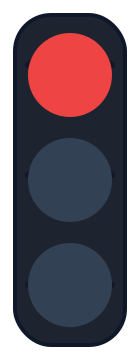 Stop
Round
Red signal
Prohibits movement. Stop before stop-line, traffic light, or intersecting carriageway.
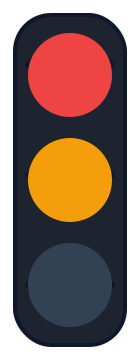 Stop
Round
Red and yellow
Prohibits movement and warns that green will appear shortly.
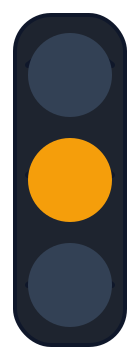 Caution
Round
Yellow signal
Prohibits movement (unless unable to stop without emergency braking).
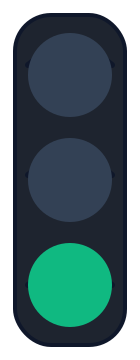 Go
Round
Green signal
Permits movement in all directions (unless prohibited by signs).
 Caution
Round
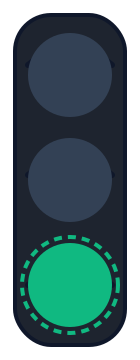
Flashing green
Permits movement and warns that the signal is about to change to yellow/red.
 Caution
Round
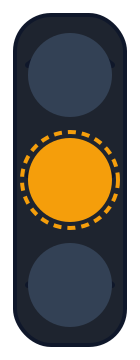
Flashing yellow
Permits movement and marks an unregulated intersection or pedestrian crossing.
 Caution
Round
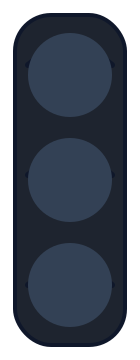
Turned off traffic light
Intersection is uncontrolled. Priority signs and give-way to the right apply.
 Go
Arrows
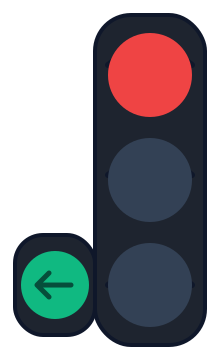
Green arrow
Movement is permitted only in the direction indicated by the arrow.
 Go
Arrows
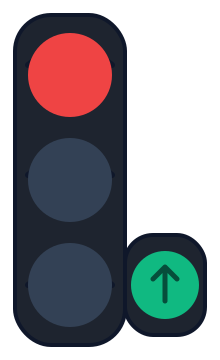
Additional section — left
Permits left turn and U-turn.
 Go
Arrows
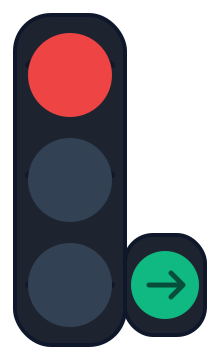
Additional section — straight
Permits straight-through traffic.
 Go
Arrows
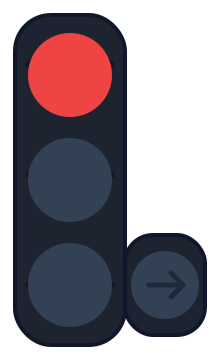
Additional section — right
Permits right turn.
 Stop
Arrows
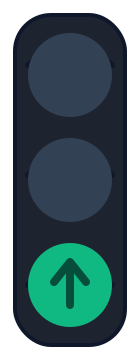
Section off
Prohibits movement in the direction controlled by this section.
 Caution
Arrows
Contour arrow
Informs drivers of additional sections and allowed directional movements.
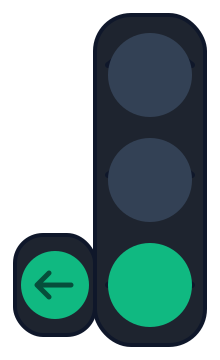 Go
Arrows
Main green + left section
Permits straight, right, and left turns (including U-turn).
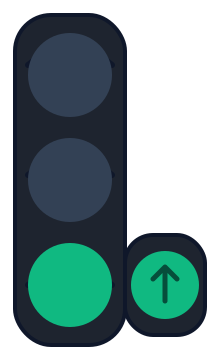 Go
Arrows
Main green + straight section
Permits straight-through traffic alongside other allowed lanes.
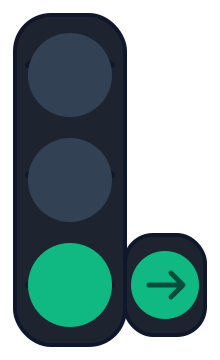 Go
Arrows
Main green + right section
Permits straight and right movements.
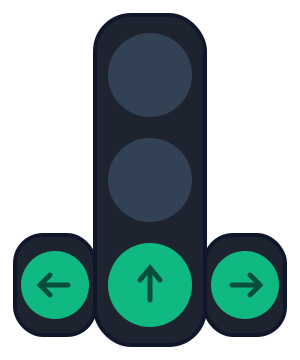 Go
Arrows
Main straight + both sections
Permits movement in all directions.
 Stop
Reversible
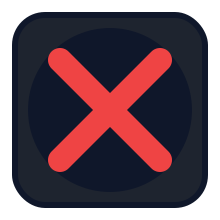
Red X (lane closed)
Prohibits entry into this reversible lane.
 Go
Reversible
Green downward arrow
Permits traffic in this reversible lane.
 Caution
Reversible
Yellow diagonal arrow
Warns of upcoming signal change; move to the indicated lane.
 Stop
Reversible
Reversible — X off
When off, entering a lane bounded by 1.9 marking is prohibited.
 Stop
Reversible
Reversible — arrow off
Lane is closed for traffic.
 Stop
Reversible
Reversible — diagonal off
Prohibiting state.
 Go
Tram / T-light
Tram — left
Bottom and top-left lights on. Movement allowed to the left only.
 Go
Tram / T-light
Tram — straight
Bottom and top-centre lights on. Movement allowed straight only.
 Go
Tram / T-light
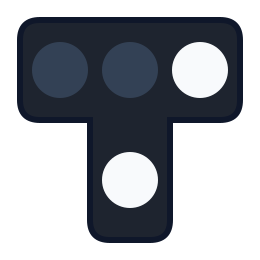
Tram — right
Bottom and top-right lights on. Movement allowed to the right only.
 Stop
Tram / T-light
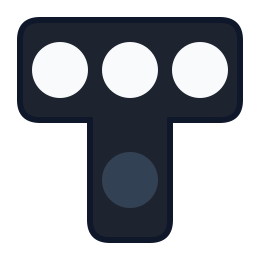
Tram — stop
Three top lights on without bottom light. Movement prohibited.
 Go
Tram / T-light
Tram — straight and right
Bottom, middle, and right on. Allowed straight and right.
 Stop
Tram / T-light
Tram — off
Traffic guided by standard vehicular traffic lights.
 Stop
Railway crossing
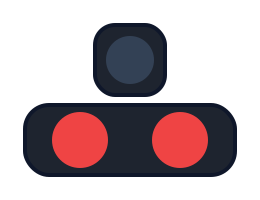
Two flashing red lights (crossing)
Prohibits entry onto the level crossing. Stop before the crossing.
 Go
Railway crossing
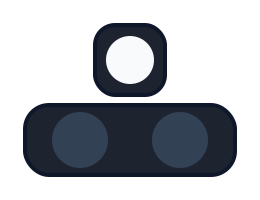
Flashing white light (crossing)
Permits crossing. Crossing signalling system is operating normally.
 Stop
Pedestrian & Cyclist
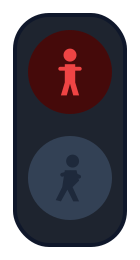
Red pedestrian (stop)
Prohibits pedestrians from crossing the carriageway.
 Go
Pedestrian & Cyclist
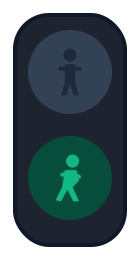
Green pedestrian (walk)
Permits pedestrians to cross the carriageway.
 Stop
Horizontal
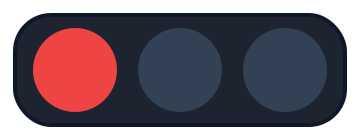
Horizontal — red
Red light is on the left. Movement is prohibited.
 Caution
Horizontal
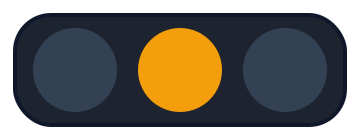
Horizontal — yellow
Yellow light is in the centre. Caution / prohibiting.
 Go
Horizontal
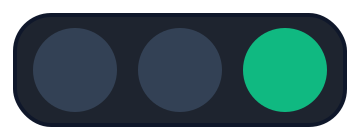
Horizontal — green
Green light is on the right. Movement is permitted.
 Caution
Traffic controller
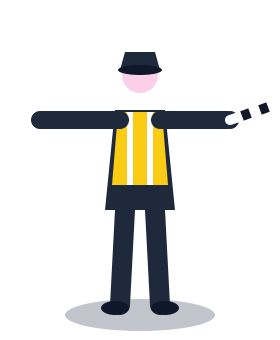
Controller — arms outstretched or lowered
From chest and back: all movement prohibited. From left and right sides: straight and right permitted; pedestrians may cross.
 Stop
Traffic controller
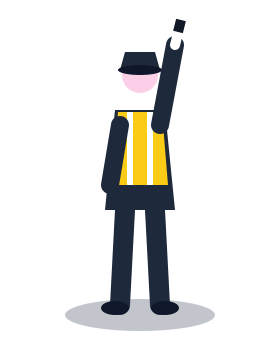
Controller — right arm raised up
Movement of all vehicles and pedestrians is prohibited in all directions.
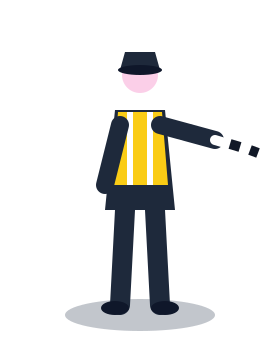 Go
Traffic controller
Controller — right arm extended forward
From left side: all directions permitted. From chest: right turn only. From right side and back: all movement prohibited.
Round signals
Green permits movement; flashing green warns that a prohibiting signal is about to come on. Yellow prohibits movement — but if you cannot stop without sharp braking, you may continue. Red (including flashing red) and red-and-yellow prohibit movement.
- Flashing yellow: an unregulated intersection or crossing — priority signs and rules apply
Arrows and additional sections
Arrow signals apply only in the direction of the arrow; a left arrow also permits a U-turn. When moving on a green arrow of an additional section while the main light is yellow or red, give way to vehicles from other directions. An additional section that is off prohibits that direction.
The traffic controller
Arm raised: everyone stops. Arms out to the sides or lowered: only traffic from the left and right sides may move (straight and right). Right arm forward: traffic from the left may go in any direction, from the chest side only to the right. The controller’s signals override traffic lights and signs.
Where to stop
On a prohibiting signal, stop before the “Stop line” marking or sign 6.16; if there is none, before the carriageway being crossed or before the traffic light, without impeding pedestrians.
Remember
- ✓ Yellow means stop — unless you can’t without sharp braking
- ✓ Flashing yellow: the intersection is unregulated
- ✓ The controller overrides lights and signs
Common mistakes
- ✗ Moving off on red-and-yellow
- ✗ Driving on an additional-section arrow without giving way to other directions